The boilerplate includes a powerful, multi-locale CMS for managing pages, blog posts (with categories, tags, and pagination), and media.
Content is stored in Supabase with JSONB columns for localized content, cached with Next.js
unstable_cache, and rendered with shortcode support.
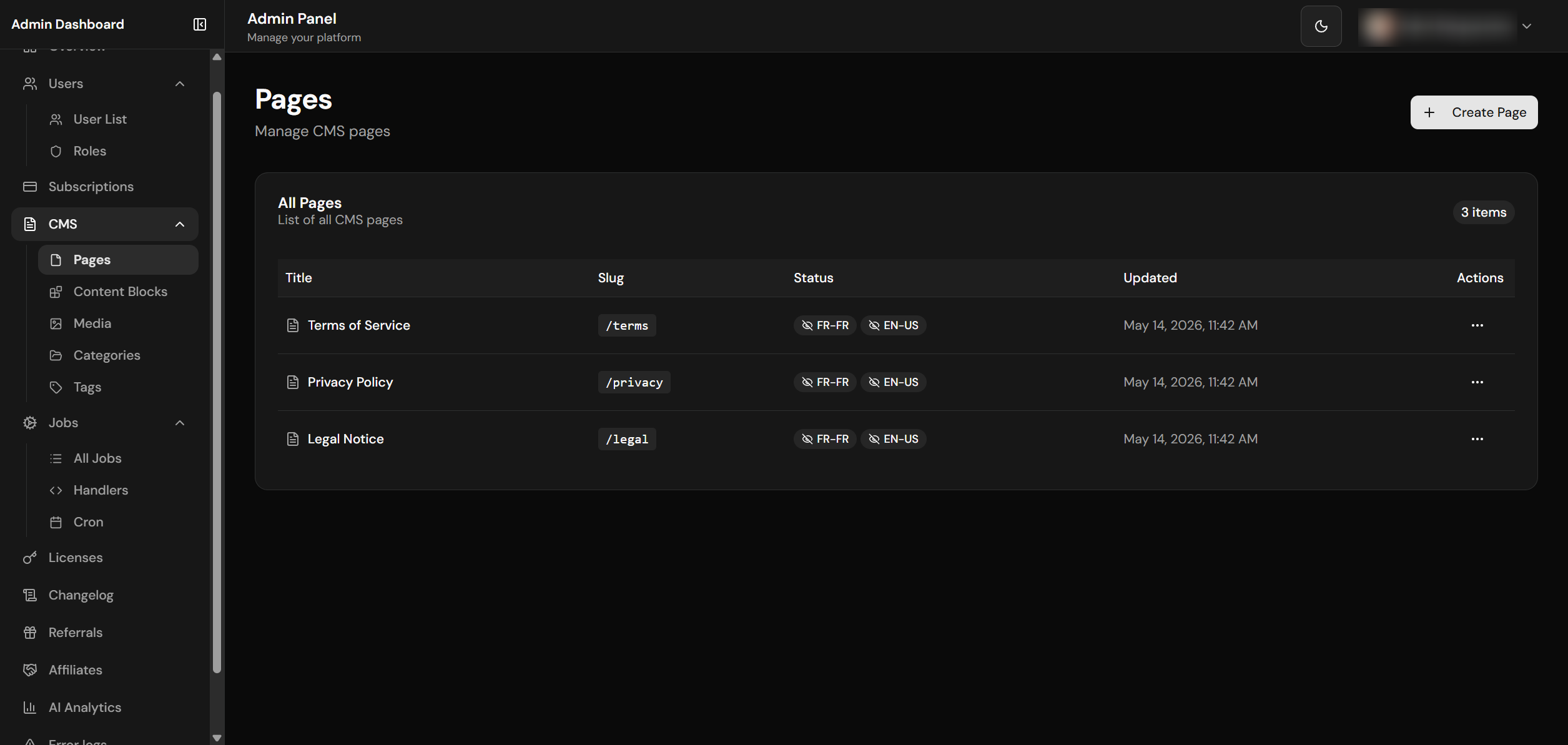
CMS pages list with locale badges and actions
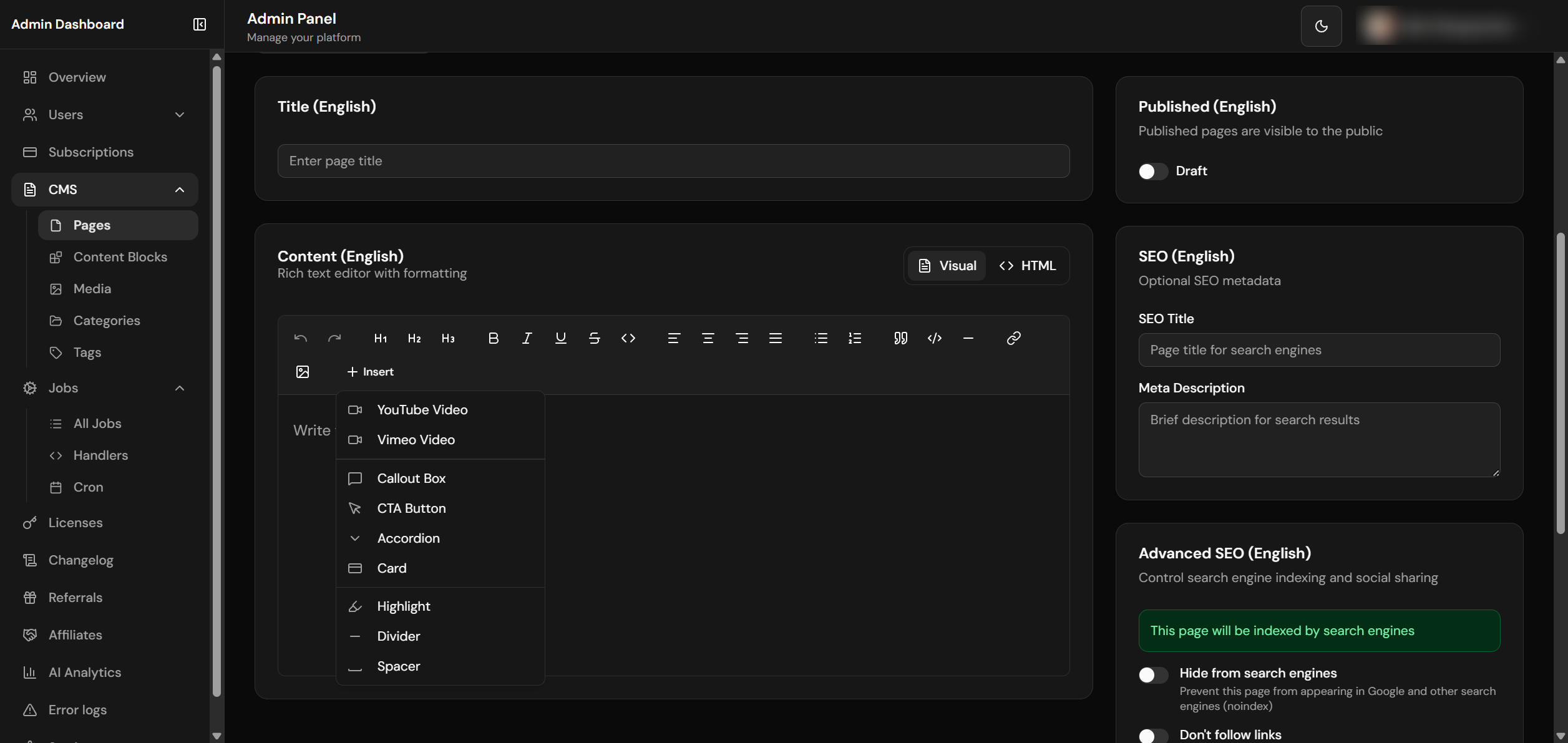
Page editor with WYSIWYG and SEO settings
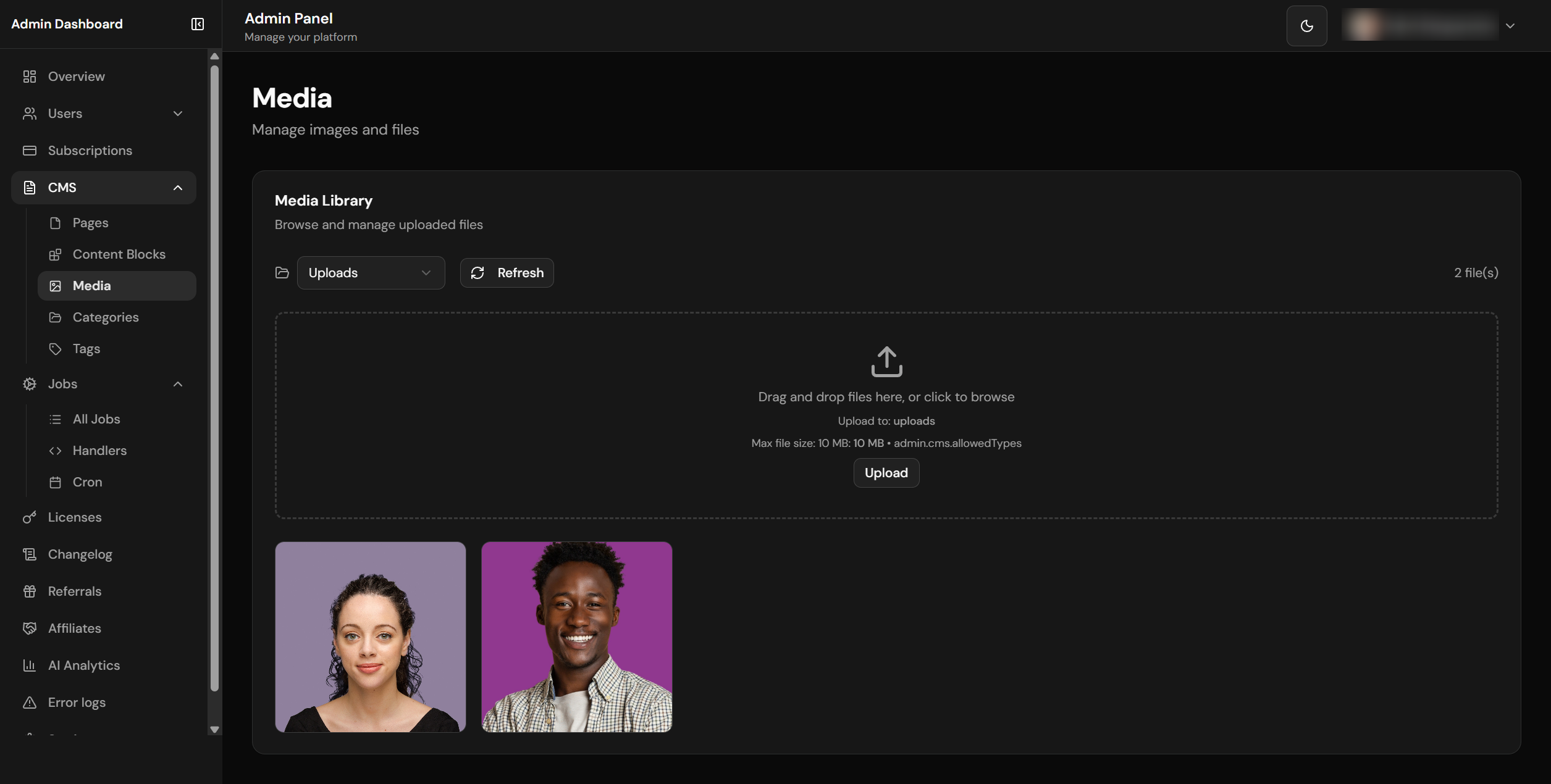
Media library with drag-and-drop upload
File Structure
lib/cms/
├── queries.ts           # CRUD operations & cached queries
├── storage.ts           # Supabase Storage for media
├── types.ts             # TypeScript interfaces
└── index.ts             # Re-exports

lib/shortcodes/
├── parser.ts            # Shortcode parsing engine
└── index.ts

components/
├── shortcodes/
│   └── index.tsx        # Shortcode React components
├── html-renderer.tsx    # Content renderer with shortcode support
└── admin/
    └── media-library.tsx # Admin media library component

app/
├── [locale]/(admin)/admin-dashboard/cms/
│   ├── page.tsx         # CMS overview
│   ├── pages/           # Pages management
│   │   ├── page.tsx     # List pages
│   │   ├── new/         # Create page
│   │   └── [pageId]/    # Edit page
│   ├── blocks/          # Reusable content blocks
│   └── media/           # Media library
└── api/admin/cms/
    ├── pages/route.ts   # Pages API
    ├── blocks/route.ts  # Blocks API
    └── media/route.ts   # Media upload/delete API
Pages & Blog
CMS pages and blog posts use the same data structure. Blog posts are simply pages with a
blog/ prefix in their slug. All content supports multi-locale with per-locale
publishing status.
Page Data Structure
Each CMS page stores its title, content, excerpt, and SEO metadata as JSONB fields keyed by locale (e.g., {"fr-FR": "...", "fr-CH": "...", "en-US": "...", "en-CA": "..."}). This means all translations for a page live in a single row, making queries efficient and avoiding join overhead.
The slug is shared across locales — it is a single column, not a per-locale map. One row is
served at /fr-FR/about and /en-US/about; you cannot give the French version a different
path such as /fr-FR/a-propos. Locale-prefixed URLs with a shared path are a fully supported search-engine
pattern, and it keeps the language switcher a simple prefix swap.
Per-locale publishing
published is a per-locale map, and it is evaluated strictly for the requested language.
A page published in French only is a 404 in English — it does not fall back to the French text. It is also
excluded from the English sitemap, omitted from the hreflang cluster, and shown as
“Not translated” in the language switcher.
The same strictness applies to Noindex, Nofollow, and Canonical URL: a value set on one language never leaks onto another. Display fields behave the opposite way on purpose — title, content, excerpt, SEO title/description and OG image do fall back, so a partially translated page still renders something rather than blank.
These slugs belong to dedicated routes and cannot be used for a CMS page — the built-in route always wins, so the CMS row would be unreachable: terms, privacy, privacy-choices, legal, pricing, contact, blog, changelog, affiliates. (The legal pages are pre-seeded CMS rows served through their own routes.) The list lives in lib/cms/seo.ts; add to it when you add a public route.
Database Schema
CMS pages are stored in the cms_pages table with columns for slug, status (published/draft), locale-keyed JSONB content, SEO metadata, and timestamps. CMS blocks use a similar structure in cms_blocks for reusable content snippets. Both tables have RLS policies restricting admin-only write access while allowing public read access for published content.
Fetching Content
CMS content is fetched through cached query functions in lib/cms/queries.ts. Pages are fetched by slug and cached for 24 hours using Next.js unstable_cache with tag-based revalidation. When content is updated through the admin CMS, the cache is automatically invalidated.
Rendering CMS Content
CMS pages are rendered through the dynamic route at app/[locale]/(frontend)/[slug]/page.tsx. The page component fetches the CMS content by slug, extracts the locale-specific fields (title, content, SEO metadata), and renders the HTML through the HtmlRenderer component. The renderer processes shortcodes, sanitizes the HTML, and applies consistent styling.
Blog Posts
Blog posts are CMS pages with a blog/ prefix in the slug:
| Slug | URL | Type |
|---|---|---|
about |
/[locale]/about | Standard page |
blog/getting-started |
/[locale]/blog/getting-started | Blog post |
blog/announcement |
/[locale]/blog/announcement | Blog post |
Blog Post Features
| Feature | Description |
|---|---|
| Featured Image | Header image with hover zoom on cards, full-width on detail page |
| Custom Excerpt | Per-locale excerpt (max 300 chars) with auto-generated fallback |
| Reading Time | Automatically calculated from content length |
| Publication Date | Shown on cards and detail page |
| Last Updated | Displayed if different from publication date |
| OpenGraph | Article metadata for social sharing (BlogPosting JSON-LD) |
| Categories | Color-coded categories with multi-locale names. One category per post. Filter bar on listing page (?category=slug) |
| Tags | Multi-locale tags (many per post). Displayed as badges on cards and detail page. Filter via ?tag=slug |
| Pagination | 9 posts per page with page numbers, prev/next navigation. URL-based (?page=2), preserves active filters |
Advanced SEO Controls
Each page has per-locale SEO settings:
| Field | Description |
|---|---|
| SEO Title | Custom meta title (overrides page title) |
| Meta Description | Custom description for search results |
| Noindex | Hide page from search engines (robots: noindex) |
| Nofollow | Prevent search engines following links (robots: nofollow) |
| Canonical URL | Custom canonical per locale (prevents duplicate content) |
| OG Image | Custom social share image (1200x630px recommended) |
Visual indicators in the admin show indexing status: green = indexed, amber = noindex.
Each of these is set independently per locale and never inherited from another language — setting a canonical
on the French version does not point the English version at the French URL. The sitemap honours them: a locale
flagged Noindex, or given a Canonical URL pointing at a different address, is
dropped from the sitemap and from the hreflang cluster instead of being advertised in a way that
contradicts the page’s own tags. See SEO & Sitemap.
Noindex hides a page from crawlers, not from readers. A locale marked noindex is still reachable and is still offered by the language switcher — only search engines are asked to skip it.
Pages API
| Endpoint | Method | Description |
|---|---|---|
/api/admin/cms/pages |
GET | List all pages (admin) |
/api/admin/cms/pages?id=xxx |
GET | Get page by ID |
/api/admin/cms/pages?slug=xxx |
GET | Get page by slug |
/api/admin/cms/pages |
POST | Create new page |
/api/admin/cms/pages |
PATCH | Update page (full edit) |
/api/admin/cms/pages |
PATCH | Toggle published per locale via { action: 'toggle_published', id, locale } |
/api/admin/cms/pages?id=xxx |
DELETE | Delete page |
Categories & Tags API
| Endpoint | Method | Description |
|---|---|---|
/api/admin/cms/categories |
GET | List all blog categories (multi-locale) |
/api/admin/cms/categories |
POST | Create category (multi-locale name + slug + color) |
/api/admin/cms/categories/[categoryId] |
PATCH | Update a category |
/api/admin/cms/categories/[categoryId] |
DELETE | Delete a category |
/api/admin/cms/tags |
GET | List all blog tags (multi-locale) |
/api/admin/cms/tags |
POST | Create tag |
/api/admin/cms/tags/[tagId] |
PATCH | Update a tag |
/api/admin/cms/tags/[tagId] |
DELETE | Delete a tag |
Every read of multi-locale JSONB fields (title, content, excerpt, published, seo_*) MUST go through the helpers in @/lib/i18n/localized: getLocalizedValue, getLocalizedStringValue, getLocalizedBooleanValue, and isLocalizedPublished. Older rows may still carry legacy language-only keys (fr, en) instead of full BCP-47 keys (fr-FR, en-US, en-CA, fr-CH); the helpers tolerate both forms. Reading JSONB with hardcoded keys (e.g. page.title['fr-FR'] or page.title.en) will silently render empty content for legacy rows. Admin write validators normalize incoming payloads back to BCP-47 so future inserts stay clean.
Cache Revalidation
On-demand cache revalidation is triggered when CMS content is updated through the admin dashboard. The system uses tag-based invalidation, so updating a specific page only clears that page's cache without affecting other cached content. CMS pages use 24-hour revalidation, billing data uses 1-hour revalidation, and home/pricing pages use ISR with 1-hour intervals.
Media Library
The Media Library uses a single Supabase Storage bucket (media, hardcoded in lib/cms/storage.ts and app/api/admin/cms/media/route.ts) with public reads and admin-only writes (gated by profiles.is_admin = true). Uploads are MIME-validated, capped at 10 MB, and filename-sanitized. The admin dashboard exposes a drag-and-drop UI at /admin-dashboard/cms/media with folder organization (uploads, images, documents, videos) and one-click URL copy.
See Media Library for the full API surface, bucket policy details, and security validation rules.
WYSIWYG Editor
The CMS includes a TipTap-based rich text editor with a comprehensive formatting toolbar.
Located in components/admin/wysiwyg-editor.tsx.
Formatting Features
| Category | Features |
|---|---|
| Text Formatting | Bold, italic, underline, strikethrough, inline code |
| Headings | H1, H2, H3 with keyboard shortcuts |
| Alignment | Left, center, right, justify |
| Lists | Bullet lists, ordered lists |
| Blocks | Blockquote, code block, horizontal rule |
| Media | Links with URL input, images via media picker |
| History | Undo/redo support |
Shortcode Insertion
The "Insert" dropdown menu provides quick insertion of shortcodes:
- YouTube/Vimeo video embeds
- Callout boxes (info, warning, success, error)
- CTA buttons with variants
- Accordions for collapsible content
- Cards with icons
- Highlighted text
- Dividers and spacers
Shortcodes
Shortcodes embed interactive React components inside CMS content using a WordPress-like syntax (e.g. [youtube id="abc"], [callout type="info"]…[/callout]). The registry lives in lib/shortcodes/parser.ts (SHORTCODE_DEFINITIONS) and the rendering switch in components/shortcodes/index.tsx (ShortcodeRenderer). Built-in shortcodes cover media embeds (YouTube, Vimeo), callouts, buttons, layout helpers (divider, spacer), and content blocks (accordion, card, highlight).
See Shortcodes for the complete attribute reference, syntax rules, and the steps to register a new shortcode.