Built-in Agents
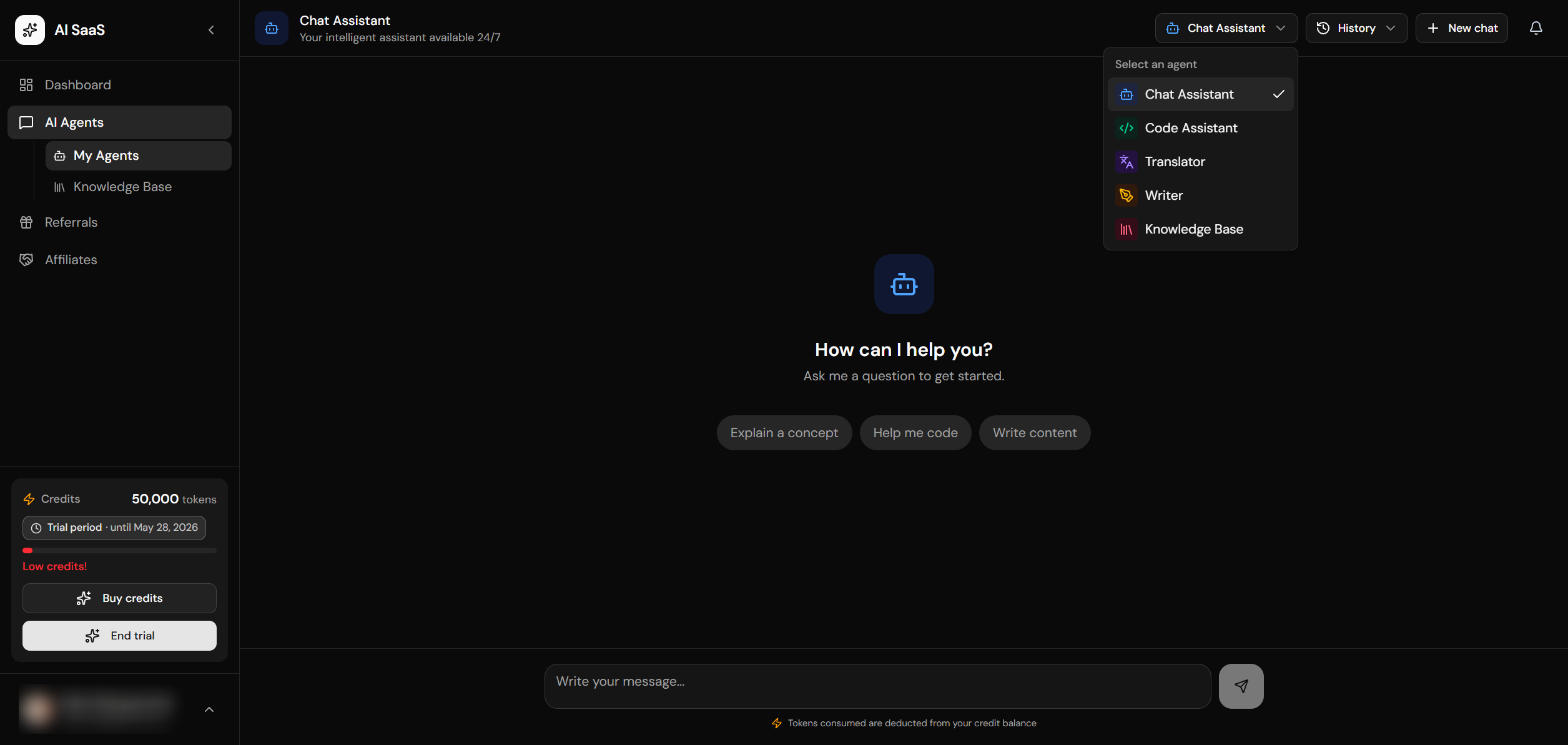
Chat Agent
General conversational assistant for everyday tasks.
DefaultCode Assistant
Programming and debugging helper with code generation.
Translator
Professional translation with style options.
Writer
Content creation for blogs, emails, marketing.
Knowledge Base (RAG)
Answers questions from uploaded documents using retrieval-augmented generation. Searches document chunks via pgvector and injects relevant context into the LLM prompt.
RAGAgent Architecture
Agents follow a modular architecture with a base class and registry pattern:
┌──────────────────┐     ┌──────────────────┐     ┌──────────────────┐
│   User Request   │     │  Agent Registry  │     │  Provider        │
│   (API Stream)   │────▶│  getAgent(id)    │────▶│  createModel()   │
└──────────────────┘     └──────────────────┘     └──────────────────┘
                                  │                        │
                                  ▼                        ▼
                         ┌──────────────────┐     ┌──────────────────┐
                         │  BaseAgent       │     │  LangChain Model │
                         │  - buildMessages │────▶│  - stream()      │
                         │  - stream()      │     │  - invoke()      │
                         └──────────────────┘     └──────────────────┘
                                  │
                                  ▼
                         ┌──────────────────┐
                         │  SSE Response    │
                         │  (text/events)   │
                         └──────────────────┘
Agent Registry
AI models and agents are configured in config/ai.ts; AI_LLM_TRANSPORT selects direct vendor APIs or OpenRouter for every agent. Each model that may use the gateway declares its canonical openRouterModelId, and each agent specifies allowed models plus its system prompt. Agents never construct provider SDKs: they call the injected LlmClient. Credits are charged uniformly — 1 credit per LLM token (input + output), deducted post-stream against provider-reported usage.
Base Agent Class
All agents extend the BaseAgent class which provides common functionality: message building, streaming, token counting, and credit deduction. Each agent implements its own metadata (ID, name, description, allowed models) and getSystemPrompt() method. The base class handles the LangChain model instantiation, SSE streaming, and error handling automatically.
Creating a Custom Agent
To create a new agent, create a folder under lib/ai/agents/ with an index.ts file. Extend the BaseAgent class and implement the metadata property (agent ID, name, description, allowed models) and the getSystemPrompt() method. Then register your agent in the agent registry at lib/ai/agents/index.ts. Your new agent will automatically appear in the agent selector dropdown in the chat interface.
AI Streaming Endpoint
The streaming endpoint at /api/ai/stream handles authentication (verifies the user session), rate limiting (using the AI-specific rate limiter), credit checking (ensures the account has enough credits), and then streams the response using Server-Sent Events (SSE). After the response completes, it logs the token usage to ai_requests, saves the message to chat_messages, and deducts credits from the account.
Using the AI Stream (Client)
The client-side chat interface sends messages to the streaming endpoint and processes the SSE response in real time. The chat component manages conversation state, displays streaming text with a typing indicator, handles errors gracefully, and persists the chat history through the session API. The agent and model selectors allow users to switch between different AI agents and models within the interface.
Adding a New Agent
- Create a new folder:
lib/ai/agents/my-agent/index.ts - Extend
BaseAgentand implementmetadataandgetSystemPrompt() - Register in
lib/ai/agents/index.ts - Add the agent to the AGENTS array in
components/private/chat-interface.tsx(icon, colors) - Add translations in all locale message files under
i18n/messages/underchat.agents
stream() method instead of buildMessages(). The context object passed from the stream route includes accountId for data access. See lib/ai/agents/rag/index.ts for a reference implementation.