Chat Interface
The chat interface provides a full-featured AI conversation experience with session management, agent switching, and real-time streaming.
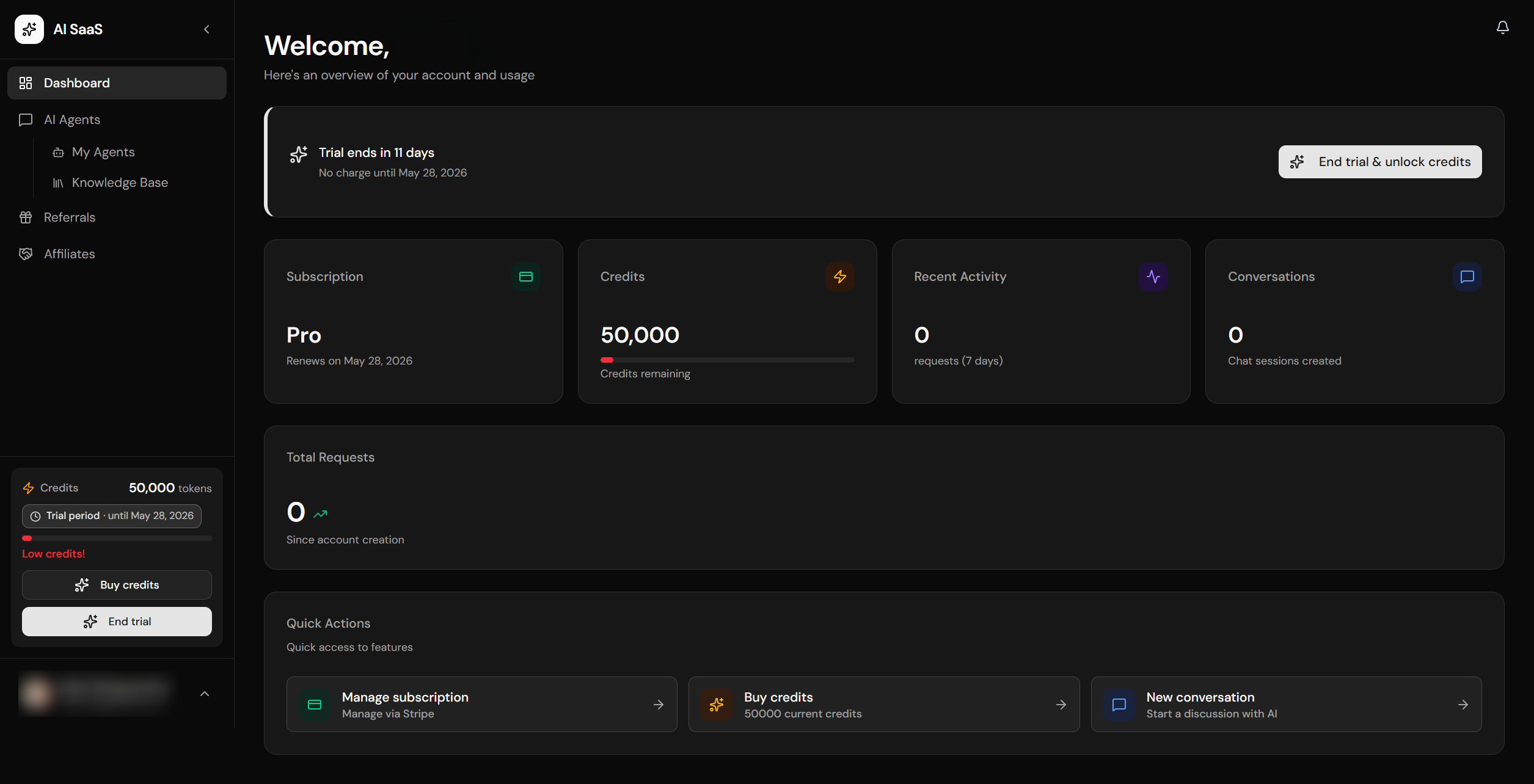
Private dashboard with sidebar, credits display, and quick actions
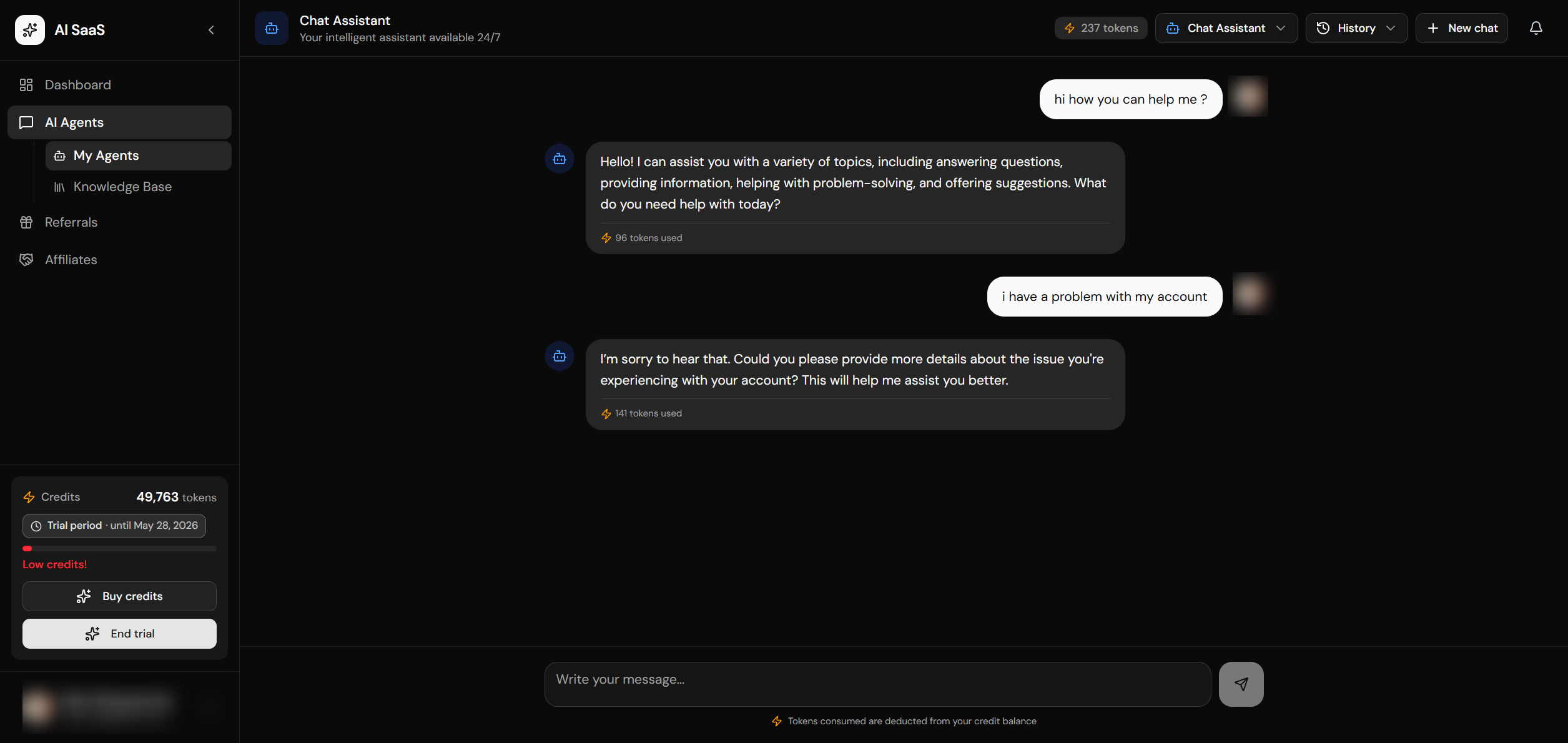
AI chat interface with streaming responses and message history
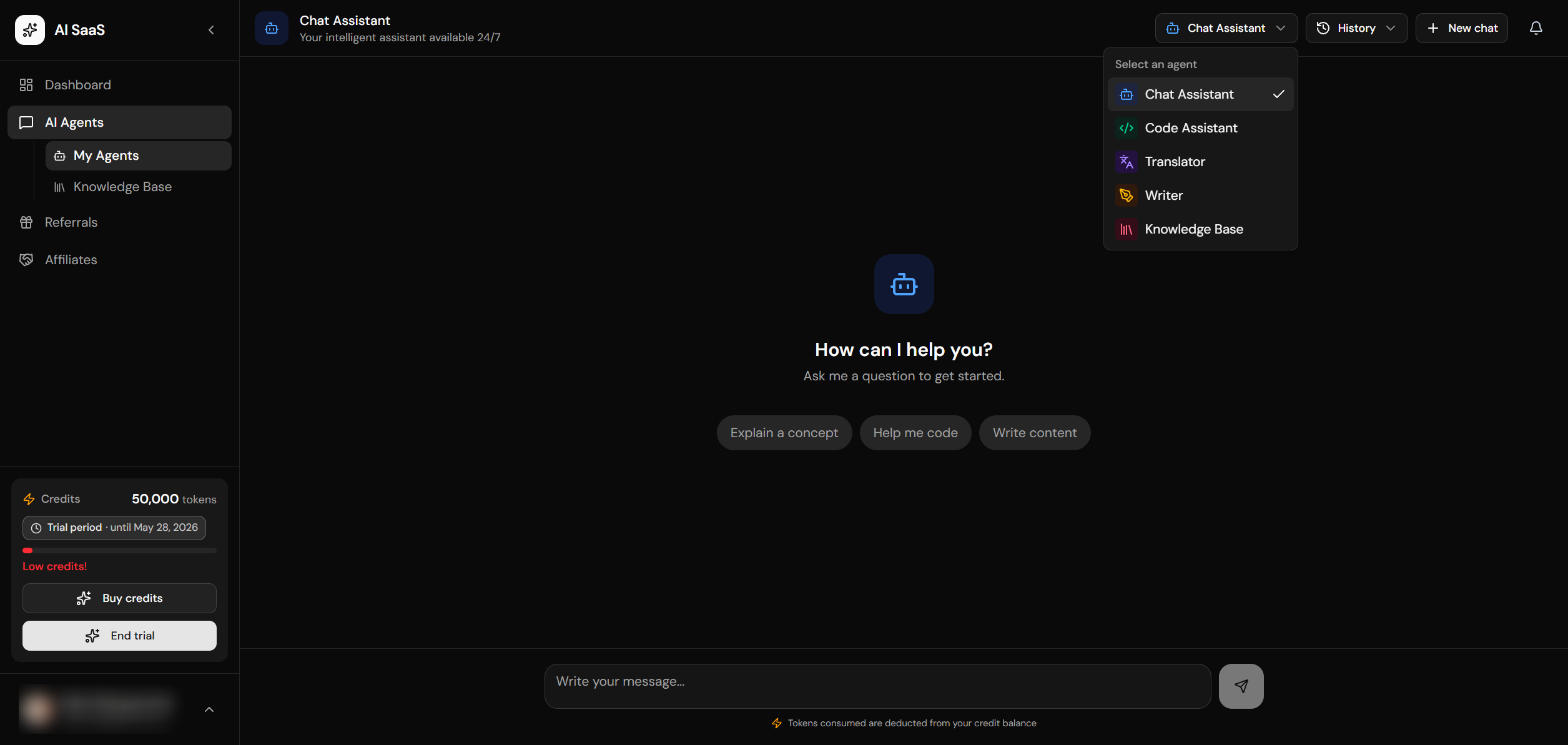
Agent selection dropdown
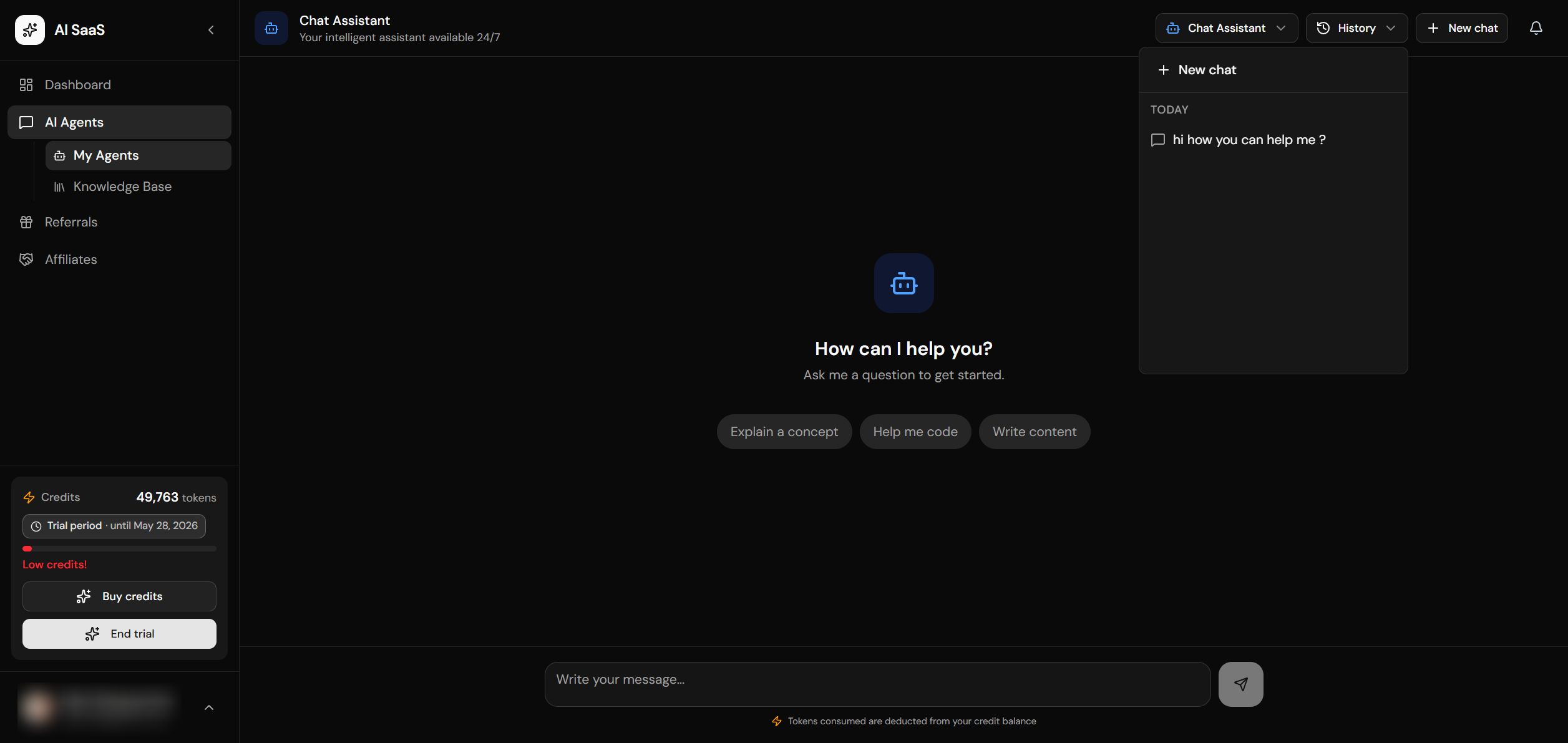
Session history with grouping
File Structure
app/[locale]/(private)/private-dashboard/
└── chat/
    └── page.tsx              # Chat page (server component)

components/private/
└── chat-interface.tsx        # Main chat UI (client component)

hooks/
└── use-chat.ts               # Client-side streaming hook (SSE reader, 50ms debounce)

core/chat/
├── queries.ts                # Session/message reads (cached where safe)
└── mutations.ts              # Session/message writes (server-side)

app/api/chat/
└── sessions/
    ├── route.ts              # GET: list, POST: create session
    └── [id]/
        └── route.ts          # GET: messages, PATCH: rename, DELETE: session
Client Hook: useChat
All client streaming flows through hooks/use-chat.ts — one canonical hook owns the csrfFetch POST to /api/ai/stream, the SSE reader (readSseDataLines), the 50 ms-debounced content buffer, the AbortController, and per-message status/tokens/agent attribution. Both the basic chat page and the rich multi-agent chat dashboard call this hook — no duplicate streaming paths.
import { useChat } from '@/hooks/use-chat'

const {
  messages,        // ChatMessage[] — extends { id, role, content } with isStreaming, error, tokensUsed, agentId, modelId
  isStreaming,     // boolean — true while streaming
  error,           // string | null
  sendMessage,     // (content, overrides?: { sessionId?, agentId?, modelId? }) => Promise<void>
  cancelStream,    // () => void — aborts the in-flight stream
  clearMessages,   // () => void
  setMessages,     // Dispatch<SetStateAction<ChatMessage[]>> — for loading session history
} = useChat({
  accountId,
  sessionId,
  agentId,
  modelId,
  onTokens: (n) => { /* update credit widget */ },
  mapError: (status) => status === 402 ? t('insufficientCredits') : undefined,
})
Single options object. accountId is required; everything else is optional. Pass onTokens(n) to receive provider-reported token usage as it streams (the rich chat UI uses this to update its credits widget in real time). Pass mapError(status, body) to translate HTTP error codes into i18n strings. Per-call overrides on sendMessage(content, { sessionId, agentId, modelId }) let you ship a freshly-created sessionId without waiting for a React state round-trip. Cancelling mid-stream keeps whatever content was already rendered — non-abort errors drop the failed assistant placeholder.
Features Overview
Chat Interface Component
┌─────────────────────────────────────────────────────────────────┐
│  Header                                                         │
│  ┌──────┐  ┌─────────────┐  ┌─────────┐  ┌──────────┐          │
│  │ Logo │  │ Agent ▾     │  │ History │  │ + New    │          │
│  └──────┘  └─────────────┘  └─────────┘  └──────────┘          │
├─────────────────────────────────────────────────────────────────┤
│                                                                 │
│  Messages Area (scrollable)                                     │
│                                                                 │
│  ┌───────────────────────────────────────────────────────────┐  │
│  │ 🤖  AI response text...                    [Copy]         │  │
│  │     ⚡ 234 tokens                                         │  │
│  └───────────────────────────────────────────────────────────┘  │
│                                                                 │
│                   ┌───────────────────────────────────────────┐ │
│                   │                         Your message... 👤│ │
│                   └───────────────────────────────────────────┘ │
│                                                                 │
├─────────────────────────────────────────────────────────────────┤
│  Input                                                          │
│  ┌─────────────────────────────────────────────────┐  ┌──────┐ │
│  │ Type your message...                             │  │ Send │ │
│  └─────────────────────────────────────────────────┘  └──────┘ │
│                    ⚡ Credits info                              │
└─────────────────────────────────────────────────────────────────┘
Server Page Component
The chat page is a server component that loads the user's session, active account, available agents, and translations. It passes all of this data as props to the client-side chat interface, keeping the heavy data fetching on the server.
Chat Interface Props
The client-side chat interface receives the current locale, account ID, available agents, translations, and session data as props from the server component. This ensures all text is localized and all configuration is available without additional client-side API calls.
Session Management
Chat sessions are created automatically when the user sends their first message. Sessions are stored in the chat_sessions table and messages in chat_messages. The sidebar shows a history of previous sessions grouped by date (today, yesterday, last 7 days, etc.). Users can resume any previous conversation or delete sessions they no longer need.
Agent Switching
Switching agents starts a new conversation to maintain context consistency. When a user selects a different agent from the dropdown, the current conversation ends and a new session begins with the selected agent's system prompt and model configuration. The session history filters to show only sessions for the currently selected agent.
Streaming Response Handling
Responses are streamed using Server-Sent Events (SSE). The client reads the stream using the Fetch API, parsing each chunk and appending it to the message display in real time. A typing indicator is shown while the stream is active. After the stream completes, the full message is saved to the database along with token usage metrics, and credits are deducted from the account.
LLM Routing, ZDR, and Fallback
Every chat and embedding request crosses the server-only lib/ai/llm-client.ts boundary. AI_LLM_TRANSPORT=direct calls the configured OpenAI, Anthropic, or Google API; openrouter sends canonical gateway model ids and requires ZDR-capable routing, denied data collection, and strict parameter support on every request. Direct-provider ZDR still depends on the operator’s vendor account and DPA.
The configuration-owned text catalogue was reviewed on 2026-08-18 and includes GPT-5.6 Sol/Terra/Luna, Claude Opus 5/Sonnet 5/Haiku 4.5, and current Gemini 3.6/3.5/3.1/2.5 models. The default is gpt-5.6-luna. Claude Fable 5 is intentionally absent because Anthropic documents mandatory retention and no ZDR eligibility; image-generation endpoints are not exposed through the text-chat contract.
Transient direct-provider failures receive one bounded retry; OpenRouter receives none at the application layer because the gateway already routes among eligible providers for the same model. Before any content is emitted, one reviewed cross-provider model fallback may run. Once a token reaches the user, fallback is disabled to prevent concatenated answers and duplicate billing. Upstash shares closed/open/half-open circuit state across production instances; development uses the same state machine in memory. The final SSE metadata and persisted audit identify both the requested and resolved model without copying prompts, responses, or raw provider errors.
Message Pagination
When resuming a session, messages are loaded with pagination to keep the initial load fast. The most recent messages are loaded first, and older messages can be loaded by scrolling up. Each page loads a configurable number of messages.
Database Schema
Chat data is stored in two tables: chat_sessions (with account ID, user ID, title, and default agent) and chat_messages (with session ID, role, content, tokens used, agent ID, and model ID). Both tables have RLS policies that restrict access to members of the associated account.
Translations
All chat UI text uses dynamic translations passed from the server component. This includes button labels, placeholder text, error messages, and status indicators.