The boilerplate includes two admin dashboards: a platform-wide super admin and an organization-level admin for B2B workspaces.
Platform Admin Dashboard
Administrative user deletion schedules the existing GDPR worker and immediately suspends access. Shared Prisma commits suspension, queue request and administrative audit together, after rechecking the active administrator and the target's personal Account. Self-deletion, workspace ownership, another personal-Account member, billing bindings, external payment/subscription evidence or a license require the existing dedicated workflow. A failed deletion request requires review. Repeating an accepted request preserves its processing date; a pending future request is accelerated. This scheduling step does not call Auth or perform the later erasure.
Located at /admin-dashboard, accessible only to active platform admins. The shared authorization check requires is_admin=true and rejects disabled profiles or profiles scheduled for deletion.
User listing, statistics, detail and access-history reads each enforce the shared admin check in core/organizations/admin-user-queries.ts, independently of the layout. Self-action controls compare canonical application IDs, not Auth-provider subjects. Failed reads produce a generic error rather than an empty list, zero statistics or a falsely active user; a confirmed missing profile remains not-found. Only the profile fields needed by the actions are passed to their client component. These reads use shared Prisma; provider activation still requires the separate compatibility gates.
Organization listing and detail use shared Prisma with administrative authority rechecked in the database. Lists default to 50 organizations or 100 members per page; the ceilings and read deadline are owned by config/admin-organizations.ts. Pagination does not change the exact totals, member-limit controls or owner summary. The last 30 days of AI usage are aggregated in the database without truncating activity to 5,000 requests, and replaced subscriptions are excluded. List rows and global statistics share one snapshot; separate page requests may reflect intervening changes. Failed reads show an error rather than misleading empty results. Organization mutations and security-policy integration remain separate migration work.
Admin user creation retains recent-authentication step-up and checks the canonical administrator before provider creation and again before committing application data. The selected Auth adapter returns only a provider principal; explicit, idempotent finalization resolves its canonical application identity. A mapped incomplete identity stays pending until the existing consent and onboarding flow completes. Shared Prisma transactions perform the business preflight and atomically update the profile, assign any internal subscription and initial credits, and record the audit. Profile and personal-Account evidence must match. Administrative assignments are internal records, not proof of an external payment.
Auth creation and setup-link generation remain server-only provider operations outside database transactions. Creation is not a durable, automatically retried workflow: an ambiguous Auth response or a later failure can leave a native provider user and durable pending identity mapping. Failed business completion rolls back its profile, subscription, credit and audit changes together. Inspect the selected provider and centralized diagnostics before any manual retry. A successful response with setupEmailSent=false means provisioning completed but setup delivery did not. Provider calls have separate deadlines in config/admin-user-creation.ts; database transactions use the bounded shared runtime. Setup hashes, provider subjects and native objects never appear in HTTP responses or diagnostics. This executable path does not by itself certify a Database/Auth composition; the compatibility matrix remains blocking until its local-only evidence is complete.
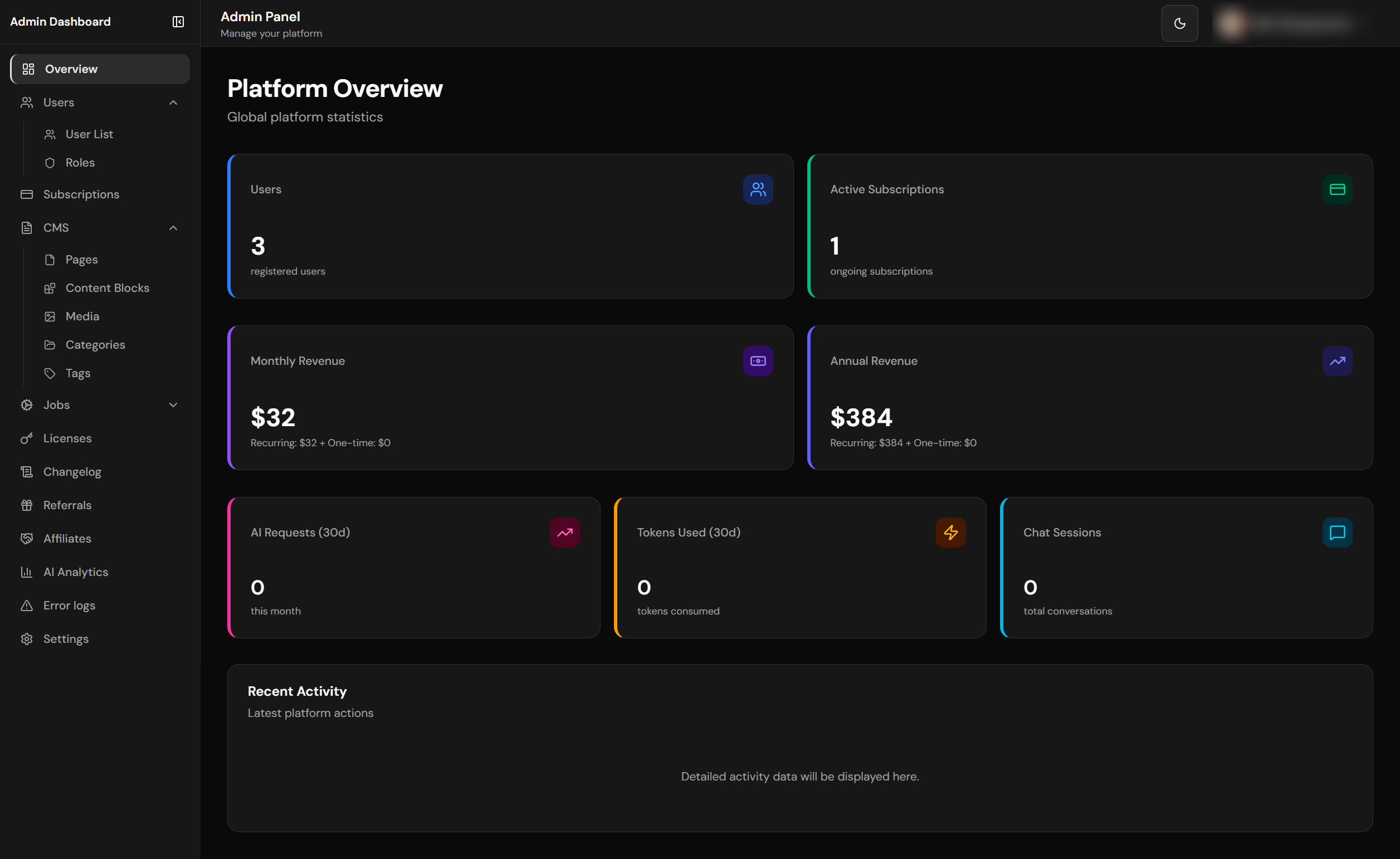
Platform admin dashboard with KPIs and overview
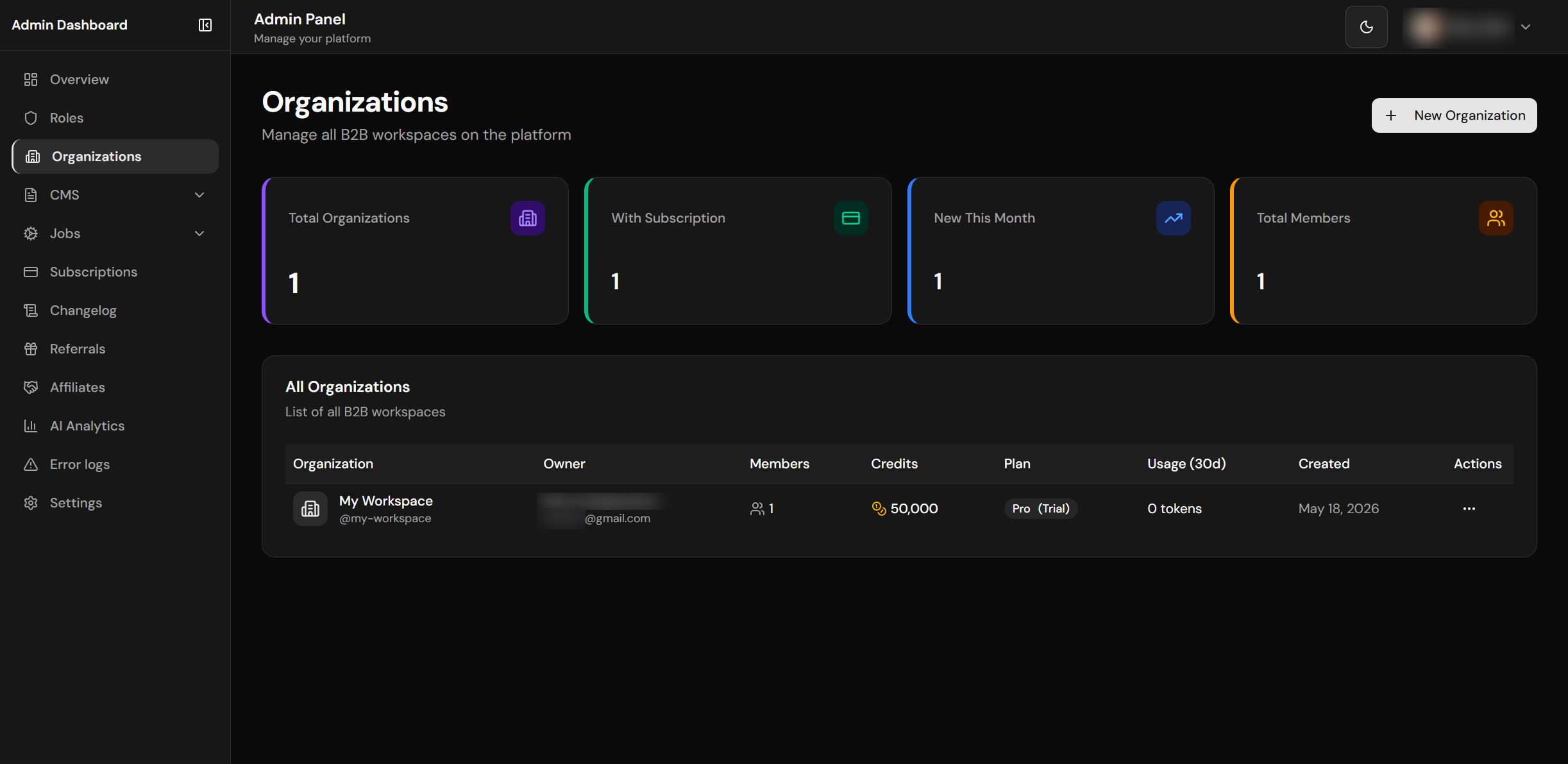
Organizations management
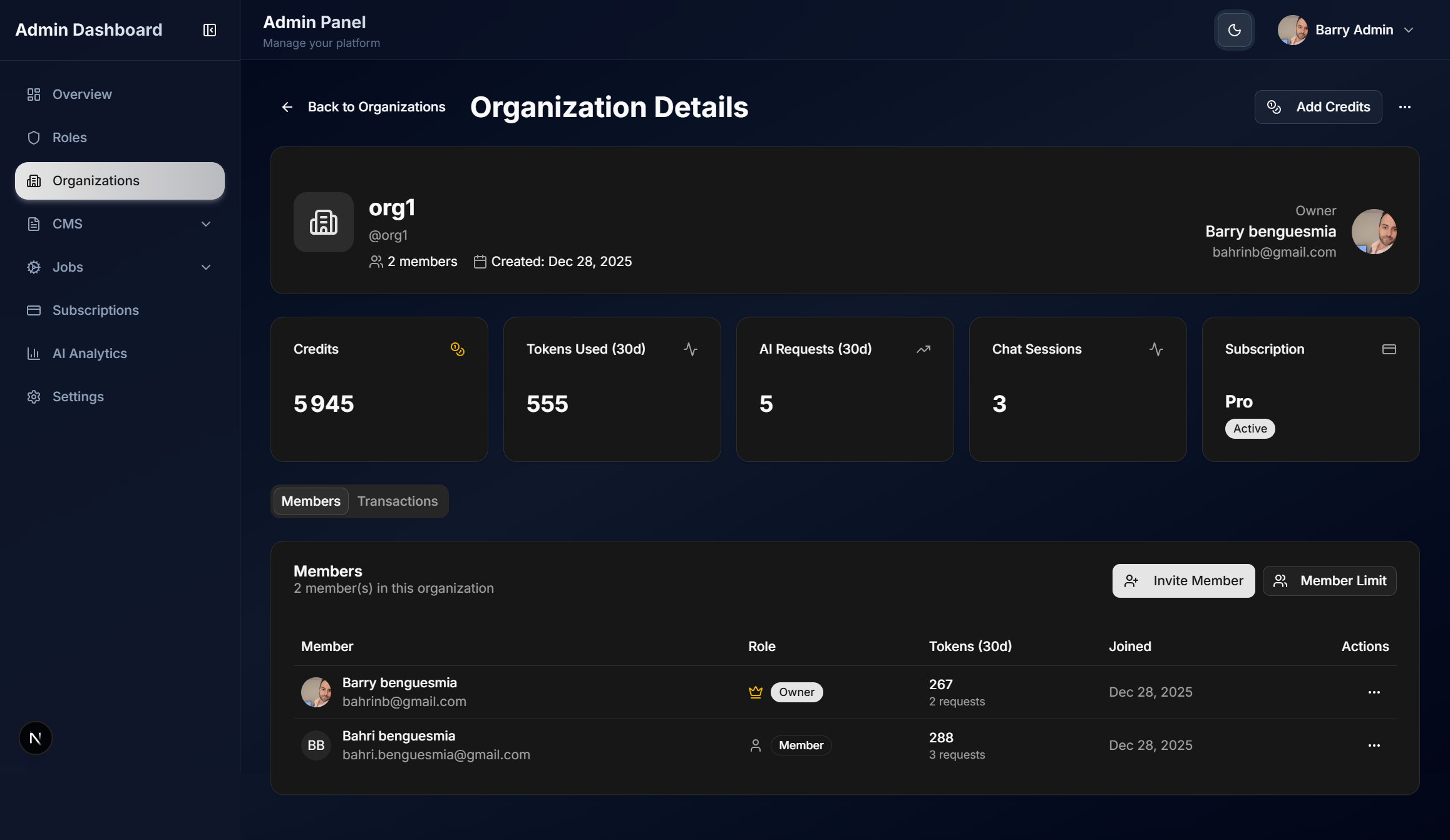
Organization detail view
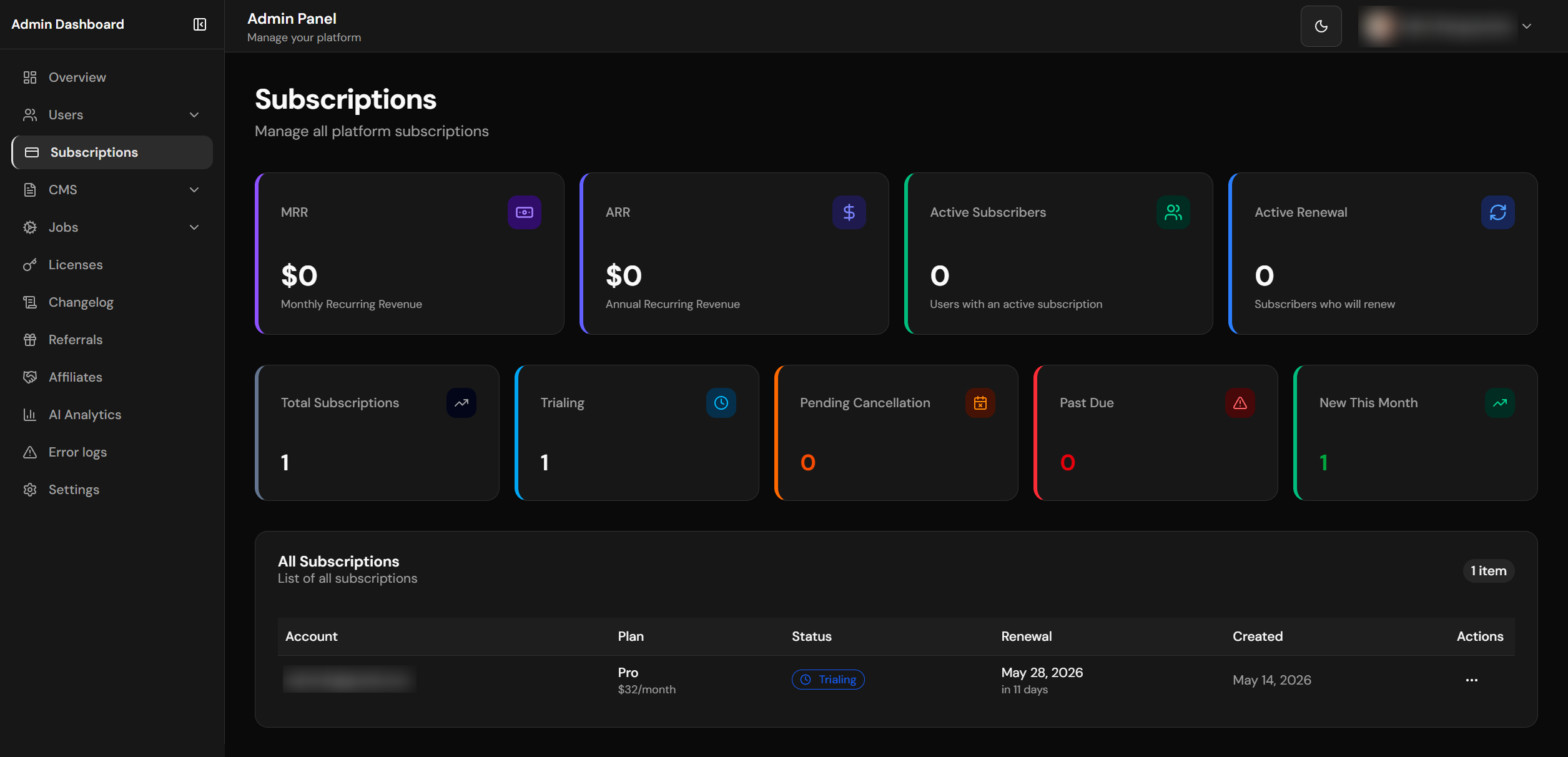
Subscriptions overview
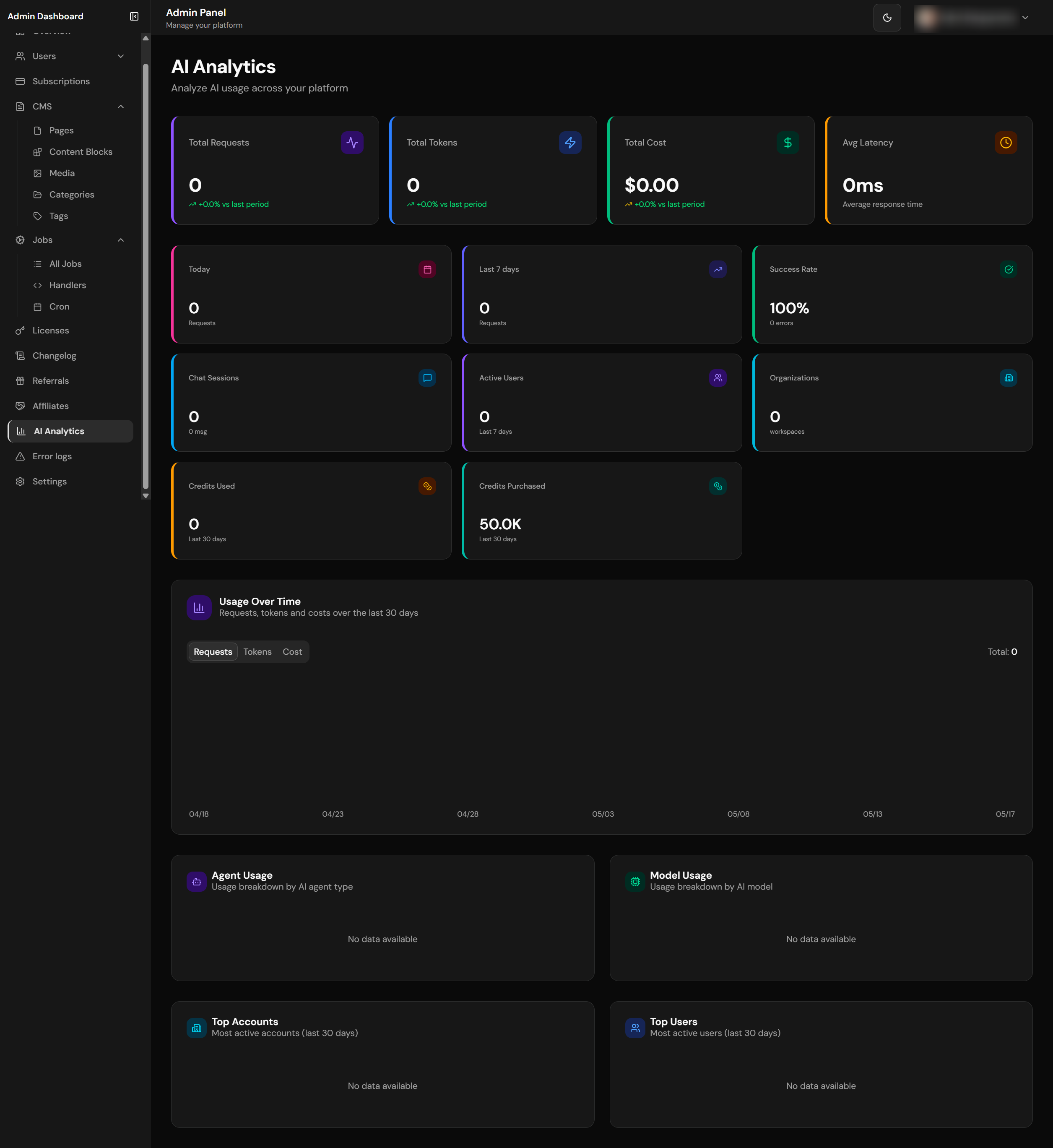
Platform-wide AI analytics
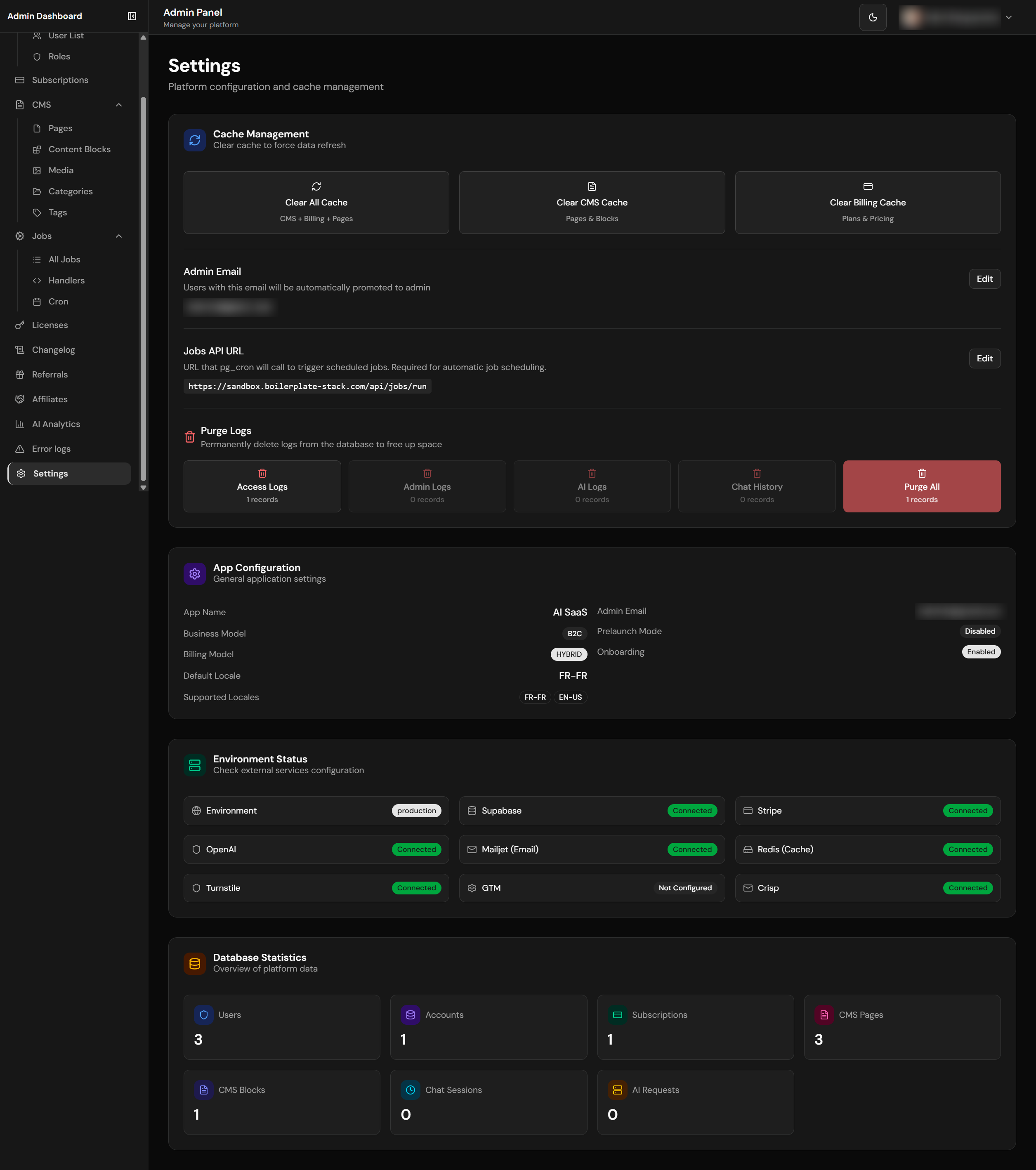
Platform settings configuration
Auto-Admin Assignment
Layouts and API routes use the shared platform-admin authority check:
- Requires a provider-verified email matching the active application identity and
app_settings.admin_email - Promotes only an enabled profile without a scheduled deletion; existing active administrators retain access without an email match
- Commits the promotion and its audit together through shared Prisma; an audit failure leaves the profile unchanged
- Rechecks administrator access before loading the profile and a bounded list of manageable workspaces
Admin dashboard pages are thin Server Components. Platform-wide reads for the overview, analytics, and settings pages live in core/admin/overview.ts, core/admin/analytics.ts, and core/admin/settings.ts. Destructive admin routes delegate to focused core action modules such as core/affiliates/admin-actions.ts, which keeps audit logging and cache revalidation reusable outside the HTTP route.
Dashboard Pages
| Page | Path | Features |
|---|---|---|
| Overview | /admin-dashboard |
Total users, orgs, active subscriptions, MRR/ARR, AI stats |
| Analytics | /admin-dashboard/analytics |
AI requests (total/30d/7d/today), tokens, costs, charts, top users |
| Users | /admin-dashboard/users |
User management, disable/enable, view details |
| Organizations | /admin-dashboard/organizations |
Workspace management, member limits, subscription status |
| Subscriptions | /admin-dashboard/subscriptions |
All subscriptions, plan breakdown, status filters |
| Billing reconciliation | /admin-dashboard/billing/reconciliation |
Bounded, redacted exception queue with audited open → acknowledged → resolved transitions; no provider-side financial actions |
| Referrals | /admin-dashboard/referrals |
Referral monitoring, stats, manual reverse/reject (gated by REFERRAL_ENABLED) |
| Affiliates | /admin-dashboard/affiliates |
Affiliate applications queue, conversions, manual reversal (gated by AFFILIATES_ENABLED) |
| Logs | /admin-dashboard/logs |
Server-side error logs, cursor-paginated, category/level filters (gated by LOGS_ENABLED) |
| Licenses | /admin-dashboard/licenses |
License management, revenue, expiration tracking, revoke/extend actions |
| Changelog | /admin-dashboard/changelog |
Create, edit, publish/unpublish changelog entries. Multi-locale support. Toggle via appConfig.features.changelog |
| Roles | /admin-dashboard/roles |
Dynamic role management, permissions, colors, icons |
| CMS | /admin-dashboard/cms |
Pages, blocks, media library management |
| Jobs | /admin-dashboard/jobs |
Background jobs, handlers, run history |
| Settings | /admin-dashboard/settings |
Platform settings, cache management, environment status, database stats, log purging |
The billing reconciliation page is an investigation and audit surface, not a payment-control console. See the Payment Support & Reconciliation runbook before acknowledging or resolving an issue.
KPI Performance
Dashboard queries are optimized for performance:
- Server Component pages render pre-aggregated data from
core/admin/*modules instead of inlining service-role query orchestration - Parallel database queries with
Promise.all(9 queries in parallel) - MRR/ARR calculation from
pricingConfig(code-based, not DB) - Efficient counting with
count: 'exact', head: true - Explicit projections such as
select('id')orselect('amount')instead ofselect('*')for production queries - The isolated
app_platform_adminPrisma connection reads only the platform-wide projections granted to its bounded capability
Admin Dashboard Design System
The admin dashboard follows a Data-Dense Dashboard design pattern optimized for information density and at-a-glance insights. The design uses shadcn/ui components with Tailwind CSS v4 theme tokens.
The first two rows below describe shared components, not classes to copy. StatCard and PageHeader (components/patterns/) exist precisely because these blocks were hand-rolled dozens of times and drifted. Copying the class strings recreates the drift — import the component instead.
| Element | Pattern | Example Classes |
|---|---|---|
| Stat/KPI Cards | Always <StatCard>. Its surface prop says what the card sits ON: canvas (default — admin and org page shells) lifts; panel recesses, required inside the private/org floating panel where a bg-card card on a bg-card panel is invisible. |
canvas: border bg-card hover:shadow-cardpanel: border-0 bg-muted/60 hover:bg-muted |
| Card Icons | Tinted chip, accent restricted to the chart ramp (chart-1…chart-5). Not primary (a KPI row would read as one undifferentiated block) and not success/warning (that implies a status the metric does not have). Never a raw palette colour — blue-500 does not follow the theme and survives no rebrand. |
h-8 w-8 rounded-lg bg-chart-1/10 text-chart-1 |
| KPI Values | Rendered by StatCard. Every numeral in a dashboard uses tabular-nums — proportional digits make a column jitter as values update, which is one of the clearest tells of unconsidered dashboard work. |
text-2xl font-semibold tabular-nums |
| Supporting stats | Small muted line under the value (hint prop) |
mt-1 text-xs text-muted-foreground |
| Table Containers | Clean card without colored accent | bg-card border border-border |
| Table Headers | Subtle muted background for scanning | TableHeader className="bg-muted/50" |
| Table Rows | Hover highlight for interactivity | hover:bg-muted/50 transition-colors |
| Page Headers | Always <PageHeader> (title + optional description + action row). It owns the page’s only <h1>; no gradients. |
text-3xl font-bold tracking-tight text-foreground |
| Sidebar Active Item | One shared <SidebarNavLink> with a variant per surface — the three active states differ on purpose (identity, not drift), and sharing the component is what keeps the collapsed-rail aria-label from going missing on one of them. |
admin: bg-primary/10 text-primary border-l-2 border-l-primaryorg: bg-primary text-primary-foregroundprivate: bg-card text-foreground shadow-raise |
| Dashboard shell | Rail + app bar + scrolling content panel. The bar (h-16) owns the mobile drawer trigger, the surface identity, and then notifications / theme toggle / account dropdown. The panel is full-bleed on mobile and insets into a rounded, raised sheet once the rail appears. |
<main>: min-h-0 flex-1 overflow-y-auto bg-card lg:my-3 lg:mr-3 lg:rounded-xl lg:shadow-card |
| Separation | By elevation and surface, not by borders. The page canvas is deliberately recessed below --card, so a panel is told apart from the page by depth. Rails draw no internal rules. The one deliberate exception is a data-table row rule, which carries scanability. |
--background vs --card = 1.195 (light) / 1.136 (dark) |
When designing pages, Claude Code follows a 4-tier skill pipeline: (1) Foundation skills (/tailwind-v4-shadcn + /ui-ux-pro-max, plus /shadcn for component work) are always invoked, (2) ONE aesthetic skill sets the visual direction (e.g., /impeccable), (3) Refinement commands (/impeccable typeset, /impeccable animate, etc.) polish specific aspects, (4) Workflow commands (/impeccable critique, /impeccable polish) handle review and shipping. Since Impeccable v4 the refinement and workflow steps are subcommands of /impeccable, not standalone skills. All colors must use oklch() theme tokens — never raw hex. See .claude/rules/design-skills.md for the full orchestration guide.
Organization Admin Dashboard
Located at /org-dashboard, accessible to workspace owners and admins.
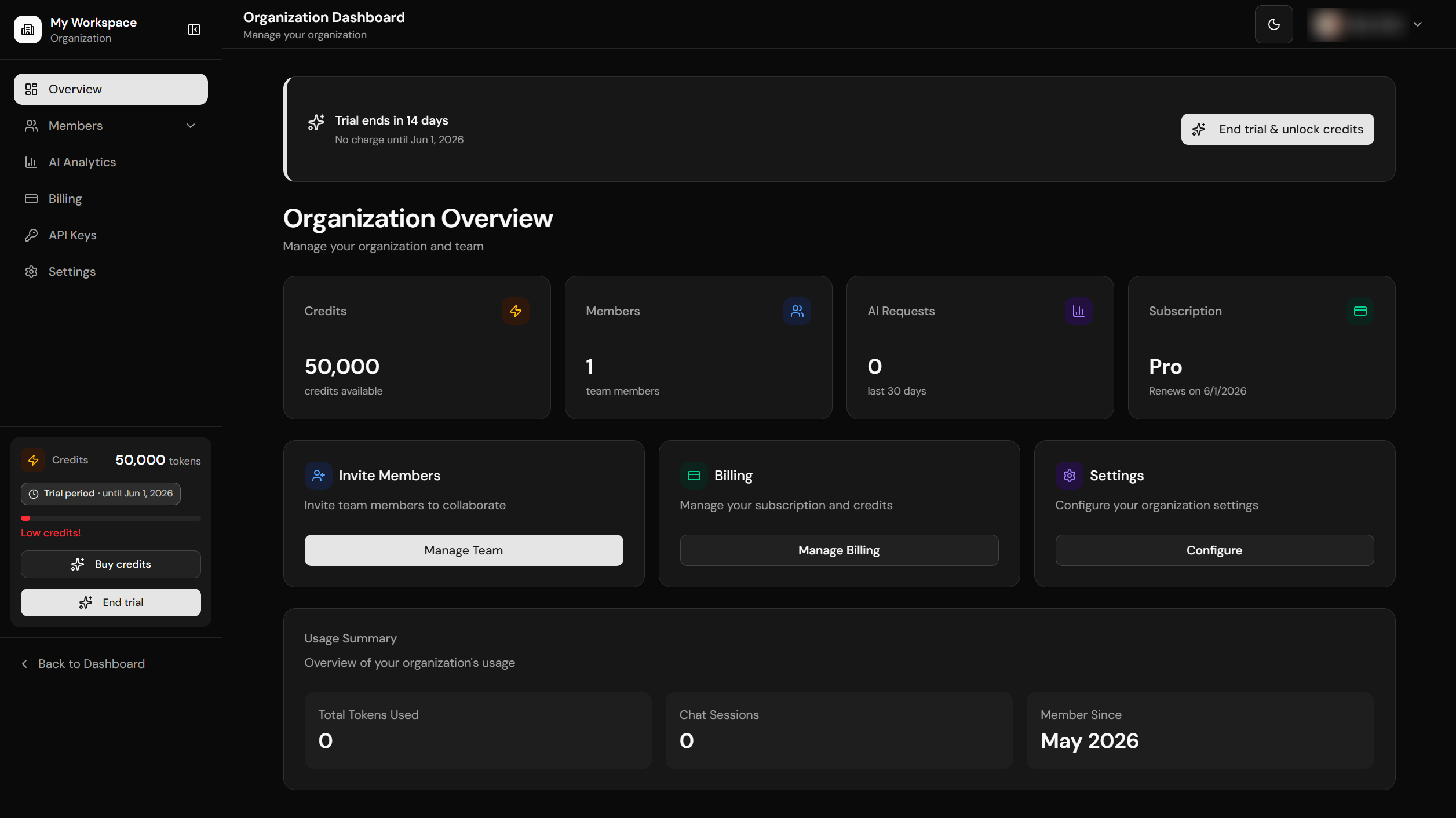
Organization dashboard overview
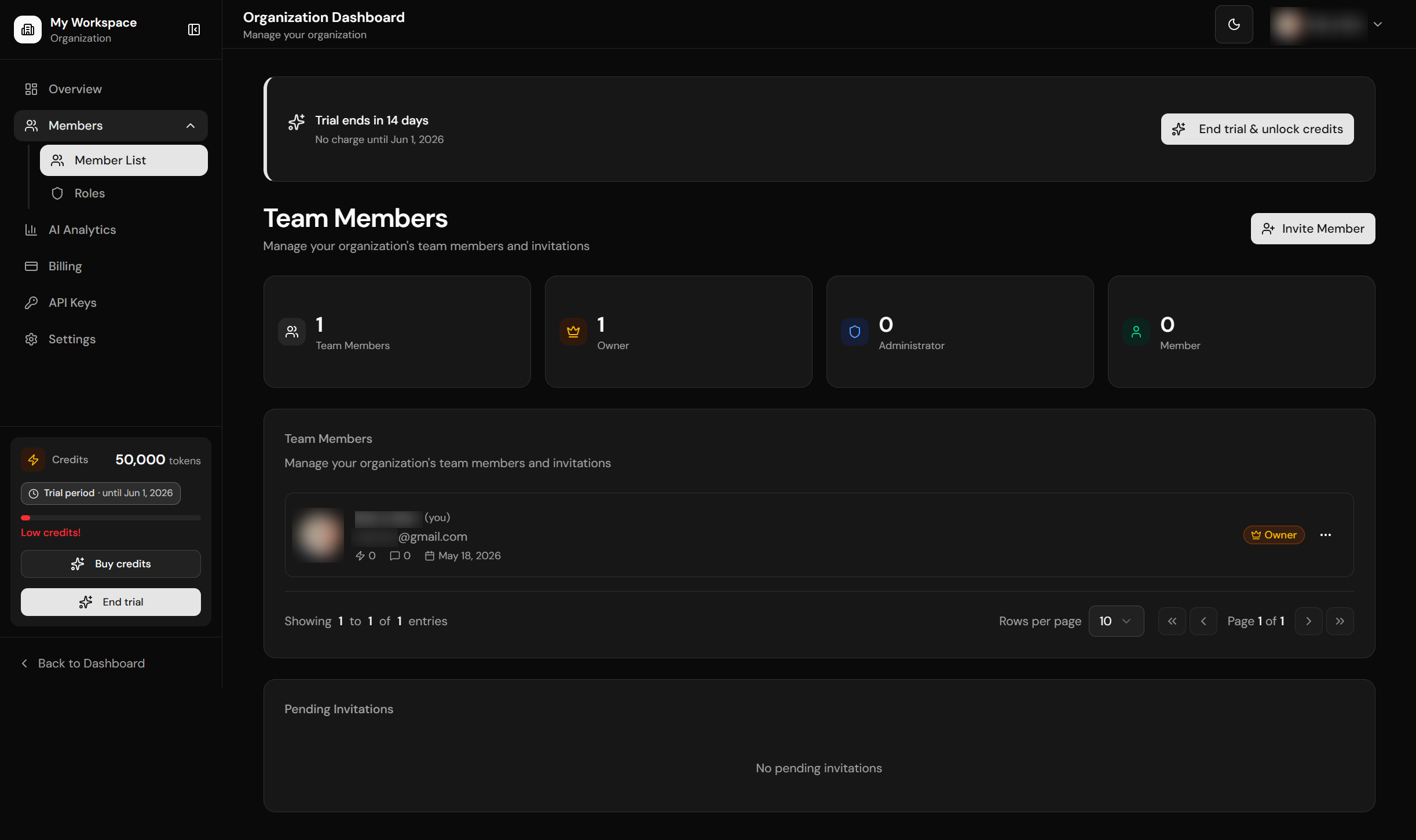
Team members management
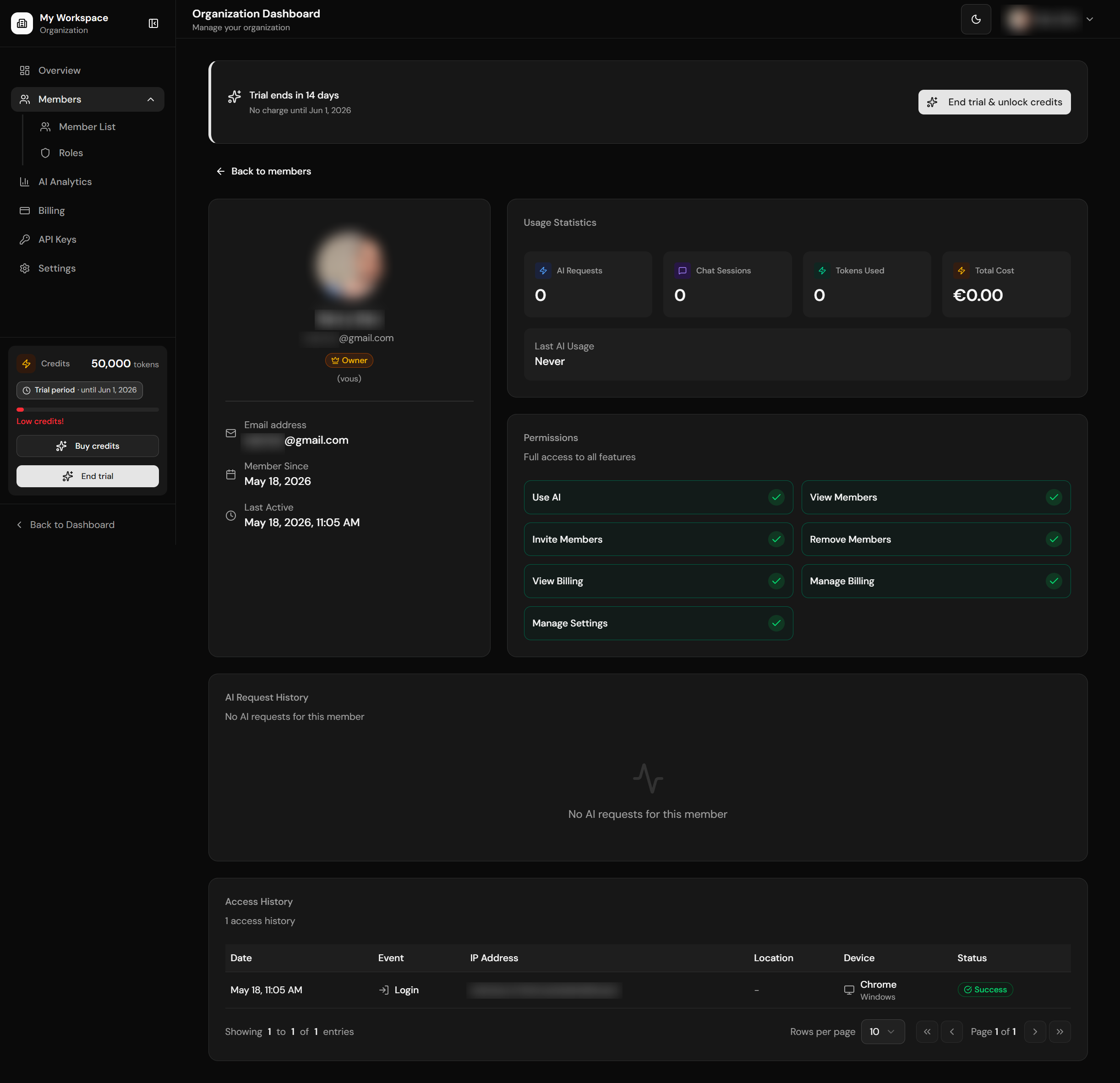
Member detail with usage stats
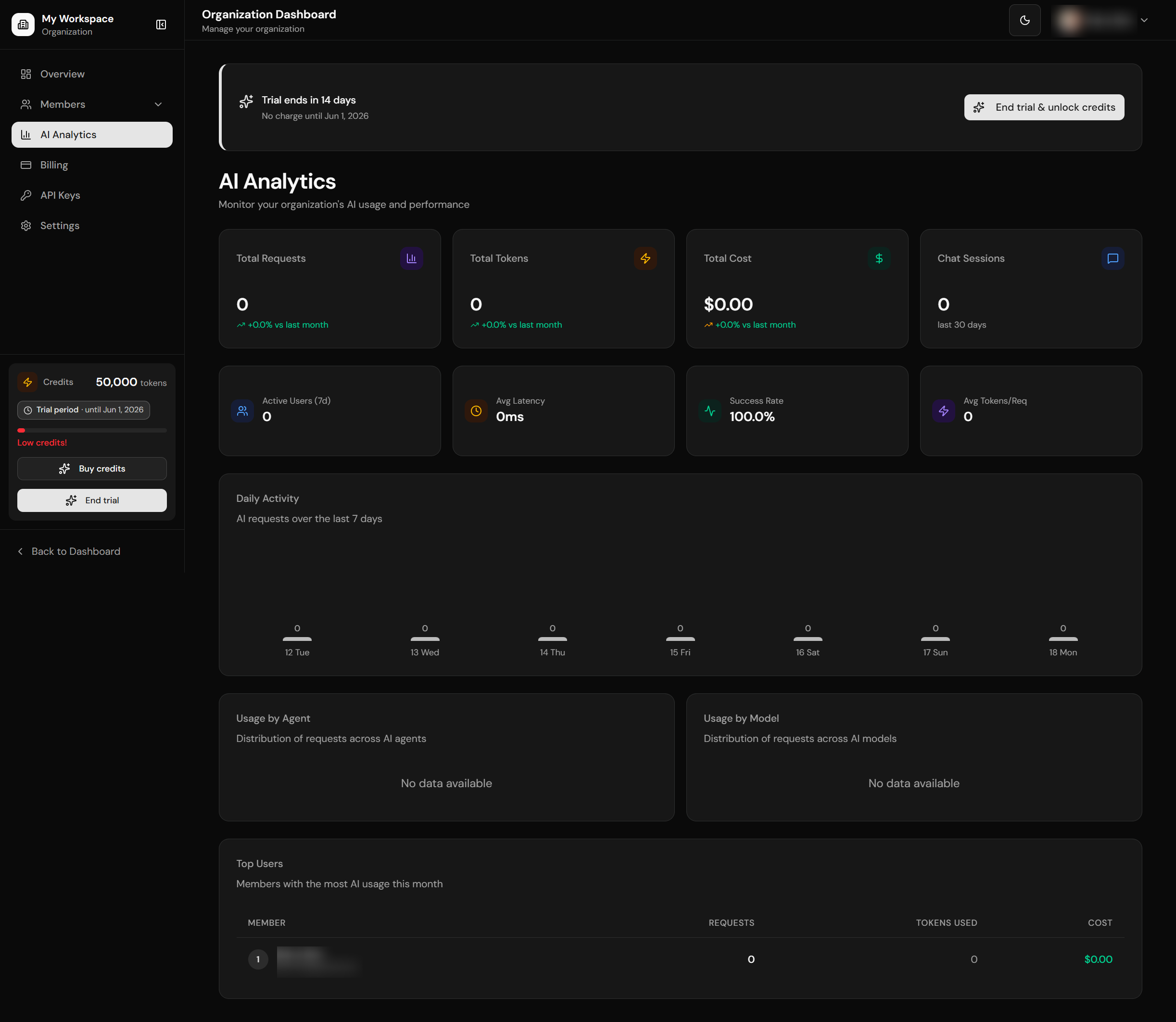
AI usage analytics
| Page | Path | Features |
|---|---|---|
| Admin | /org-dashboard/admin |
Workspace admin overview / management |
| Members | /org-dashboard/members |
Team list with pagination, invite form, pending invitations |
| Member Detail | /org-dashboard/members/[id] |
Usage stats, permissions, AI logs, access logs with pagination |
| Roles | /org-dashboard/members/roles |
Role overview, permission matrix |
| Billing | /org-dashboard/billing |
Credits balance, credit history, configured-provider customer portal |
| Settings | /org-dashboard/settings |
Org name/slug, danger zone (deletion) |
| API Keys | /org-dashboard/api-keys |
B2B API key management (create/revoke, scoped) |
| Analytics | /org-dashboard/analytics |
Workspace AI usage analytics |
Pagination
Tables include reusable pagination controls:
- Rows per page selector (5, 10, 20, 50)
- Page navigation (first, previous, next, last)
- "Showing X to Y of Z entries" display
- Page indicator (Page X of Y)
- Independent pagination state per table
Shared Dashboard Context
The private and organization dashboards share request-level context helpers in core/accounts/dashboard-context.ts. They use React.cache() to deduplicate repeated auth/account reads between a layout and its child page during one request.
Both contexts return a server-only canonical actor. Shared Prisma reads profile, memberships and billing facts in one read-only transaction scoped to actor.appUserId; the Auth provider subject is not a fallback. Failed or malformed profile, membership, invitation, billing and member-count receipts raise a generic dashboard error instead of empty or zero results.
Workspace enumeration uses workspaceConfig.dashboard.membershipPageSize (100 by default) and maxMemberships (1,000 by default). It reads in ascending Account ID order until an empty page, including after short pages. Exceeding the configured bound fails rather than presenting a partial selector. The writable active-account cookie selects only a workspace the current actor manages; a missing, stale or foreign selection falls back to the first verified workspace. Profile, presentation memberships and access facts share a repeatable-read snapshot. The exact organization member count is read separately after rechecking manager authority.
The private context uses the same enumeration bounds for personal and workspace memberships. Its account cookie prioritizes an authorized membership for billing access; the selected Account supplies credits, subscription and content scope together. Menu visibility uses one current active/trialing subscription per Account or more than one member, with counts capped at two and returned with each page. Replaced subscriptions do not make an empty workspace visible. Access uses the shared subscription policy, immutable paid entitlements and license validity from the snapshot, without extra billing requests.
Pending invitation lookup requires a verified actor email and returns only a validated, unexpired pending token. Its private SQL capability also checks the active canonical email and verified identity under an active issuer, because an invited recipient may not yet belong to the workspace. An unverified email cannot trigger admin-email auto-promotion; an existing platform-admin profile remains authoritative. Admin-authority failures retain the non-admin fallback.
Both shells receive email and persisted profile display fields, not native Auth metadata or provider identifiers. The persisted full_name remains the display-name fallback when first/last name are absent; missing profile values use the existing email/default-avatar presentation. Native RLS, target-member Auth activity and each Database/Auth composition require their own local evidence before certification. Auth unavailability fails through the current provider-session boundary and never becomes an application identity fallback.
| Helper | Route family | Context |
|---|---|---|
getPrivateDashboardContext() |
/private-dashboard/* |
Canonical actor, profile, memberships, pending invitation token, active account, billing access, credits, trial state, admin/org-management flags. |
getOrgDashboardContext() |
/org-dashboard/* |
Canonical actor, profile, manageable workspaces, current workspace, member count, active subscription, billing access and configured-provider trial state. |
These helpers are not static caches. Both use getCurrentActor() and remain request-scoped protected dynamic reads. Layouts and pages still own redirects: unauthenticated users go to login, users without org-manager membership go back to /private-dashboard, and B2B workspaces without access go to pricing.
The member detail page reads the last sign-in through core/organizations/member-auth.ts. An actor-scoped Prisma transaction checks manager authority and target membership, then resolves the stored provider coordinate through the selected Auth adapter. Missing or ambiguous evidence leaves the timestamp unavailable; an application UUID is never guessed to be a provider subject. Auth metadata and user-global access logs are not exposed. This implementation path does not by itself satisfy the composition-specific local certification.
Organization Dashboard Performance
Organization dashboard analytics and member usage stats are pre-aggregated in SQL instead of loading raw usage rows into the page component. Keep this boundary when adding new dashboard cards:
core/accounts/dashboard-usage.tswraps the aggregate readers used by the private dashboard overview, org overview, org analytics, member list, and member detail pages.get_org_dashboard_analyticsreturns 30-day KPIs, previous-period comparisons, daily usage, top members, model/agent breakdowns, active users, latency, and success rate for/org-dashboard/analytics.get_org_member_usage_summaryreturns per-member request count, token total, cost, last AI activity, and chat-session count for member list/detail screens.get_account_dashboard_usage_summarypowers lightweight overview counters without downloadingai_requestsorchat_sessions.- Supporting indexes cover
ai_requests(account_id, user_id, created_at desc),chat_sessions(account_id, user_id, created_at desc), anduser_access_logs(user_id, created_at desc).
Do not add dashboard code that fetches all ai_requests or chat_sessions for an account and then groups them in JavaScript. Use an aggregate RPC, a bounded latest-activity query, or a head: true count query depending on the UI.